BelloPOS for your trade
Free restaurant POS software
Tables, the kitchen pass and the bill, on a point of sale that keeps taking orders when the internet drops.
Free download for Windows · checking the latest release… · works offline
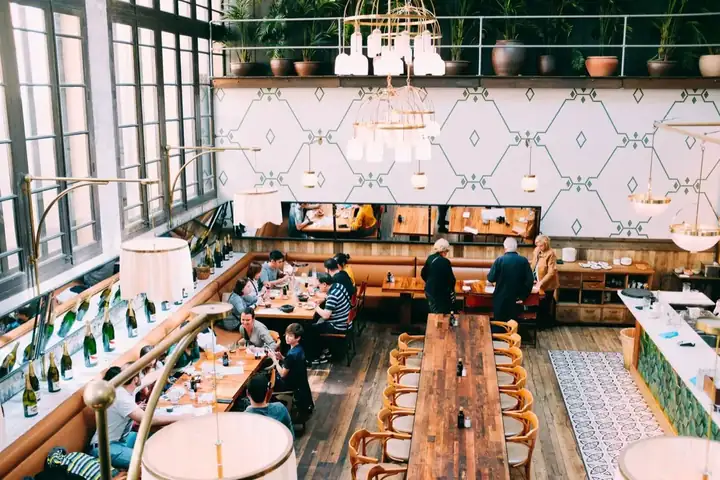
A restaurant lives or dies on service speed, and a till that waits for a server somewhere else is a till that stops your dining room. BelloPOS runs entirely on the Windows PC or Mac at your counter: orders, tables, the kitchen screen and printed receipts all work with the connection unplugged, because nothing has to leave the building to be saved.
Start on the free lifetime licence and pay nothing at all: a genuinely free restaurant POS for Morocco. When you want table plans, the kitchen display and purchase tracking, pay once and sell forever, or go monthly with no commitment; nothing renews automatically and no card is kept on file.
What you get
Tables and floor plan
Lay out your rooms and terrace, seat a party, and keep every table's running total in front of you. Move a bill between tables, or split it between diners, without restarting the order.
Kitchen orders that arrive instantly
Send each course straight to a kitchen screen or printer as it is taken. Cooks see what is waiting and what is ready, so the pass and the floor stop shouting at each other.
Receipt printer support
Print the ticket on a 58 mm or 80 mm thermal printer, or on any printer your computer already uses. Customise the header, add your ICE and tax lines, and export an invoice to PDF when a customer asks for one.
Staff accounts and permissions
Give every waiter their own login and decide exactly what each role can see: who can void a line, apply a discount, or open the cash drawer, and what appears in the day's totals.
See it in the app
Real screens from BelloPOS on Windows.
Your demo catalogue, ready at setup
Choose this activity when you install BelloPOS and these categories and products are created for you, in your language and currency. Rename, reprice or delete them whenever you like.
- 1Install BelloPOS and choose your language and country.
- 2Pick "Try with demo data", then your activity.
- 3Start selling on a catalogue that already looks like your shop.
Restaurants
5 categories · 21 products
Hot drinks
- Black coffee$1.00
- Coffee with milk$1.20
- Cappuccino$1.80
- Mint tea$1.00
Cold drinks
- Fresh orange juice$1.50
- Avocado smoothie$2.20
- Soft drink$1.20
- Mineral water 50 cl$0.60
Breakfast
- Full breakfast$3.50
- Omelette$2.00
- Croissant$0.60
- Msemen with honey$1.00
Main dishes
- Chicken tagine$6.00
- Royal couscous$7.50
- Margherita pizza$4.50
- House burger$5.00
- Niçoise salad$3.50
- Chicken panini$3.00
Desserts
- Chocolate crêpe$2.00
- Tiramisu$3.00
- Fruit salad$2.00
Example prices in US dollars; the app converts them to your currency.
Download nowHow a sale goes
- 1Seat the table and take the order at the counter or on the floor.
- 2Courses fire to the kitchen screen or printer the moment they are entered.
- 3Add rounds through service; the table total updates as you go.
- 4Split the bill or move it to another table, take cash or card, and print.
- 5Close the day with a cash count and totals per waiter, server or shift.
Restaurant software for bukas, eateries and fast food
A Nigerian lunch rush moves fast: jollof and fried rice, amala and ewedu, pounded yam and egusi, plates for the tables and takeaway packs for the offices. The BelloPOS restaurant module, in Pro, keeps track of every order. Open a table, add plates and drinks, send the order to the kitchen screen on a phone or tablet, and print the bill when the customer is ready. Takeaway orders go straight through without a table, and every drink sold comes off the stock count so the cooler matches the report.
Because BelloPOS runs on the PC in your restaurant, a network outage or a switch to the generator does not wipe the orders. Waiters can take orders on their own phones with the handheld web app over your restaurant's Wi-Fi, so nobody runs back and forth to the counter. Customers pay by cash, transfer or your POS terminal, and each sale records how it was paid. Whether you run a buka in Yaba, an eatery in Wuse, a suya spot in Kano or a chop house in Enugu, our setup team adds your menu and trains your staff remotely.
Every way your customers pay
Nigerian customers pay with cash, bank transfer and the POS terminal, often all three in one afternoon. You add the payment methods your shop takes, and each sale in BelloPOS records how it was paid. The money itself still goes through your bank or terminal provider.
- Cash, with change worked out and a cash drawer that opens on the sale
- Bank transfer, recorded as its own method so you can tick each sale against your alerts
- Card and transfer on your own POS terminal from Moniepoint, Opay, PalmPay or your bank
- USSD and QR payments, recorded under the method you name
- Any other method you take, added by you in a few clicks
- Customer credit, where regulars buy now and pay at month-end, in Go and above
- A daily cash count at closing, the drawer checked against the day's sales
BelloPOS does not connect to POS terminals or bank accounts and cannot confirm that a transfer has arrived. Check the alert as usual, then record the payment in BelloPOS.
Restaurant and buka questions
Which plan does a restaurant need?
Pro. It includes the restaurant module with tables, the kitchen screen, several tills and the handheld web app for waiters, plus our done-for-you setup. We install BelloPOS remotely, help you connect your printers, add your menu and train your staff. You can test every Pro feature free for 7 days before you buy.
Can waiters take orders on their phones?
Yes. With Pro, staff open the handheld web app in their phone's browser over your restaurant's Wi-Fi. They choose the table, add plates and drinks, and the order reaches the kitchen screen and the main till. No mobile data is needed, because the phones talk to the PC in your restaurant, not to the internet.
How do I handle takeaway packs and deliveries?
Sell takeaway orders straight from the till without opening a table, and add the pack or container as its own product if you charge for it. With Go and above you can also record orders that come through delivery companies, so you can see how much each channel brings in and what you are owed.
What VAT should my restaurant charge?
That depends on your turnover and on how your food is treated under the Nigeria Tax Act, and small businesses may be exempt from charging VAT. BelloPOS does not work out VAT or issue VAT invoices, and it is not an approved fiscalisation solution. Ask your accountant which rate applies and how to invoice it before you set your menu prices.
Can I track drinks and ingredients stock?
Yes. Every drink, bottled water and packaged item sold comes off stock automatically, and deliveries add it back. For cooked food, track the main bought-in items, such as bags of rice or crates of eggs, as stock you adjust when you use them. The report then shows what you sold and what is running low.
Other trades
All BelloPOS featuresCafes & coffee shops
Quick orders, the counter and the terrace.
Supermarkets & grocery
Barcodes, stock and busy checkouts.
Bakeries & pastry
Weigh, sell and keep up with fresh batches.
Fashion & apparel
Sizes, variants and seasonal collections.
Beauty & cosmetics
Brands, testers and loyal customers.
Bars & lounges
Rounds, tabs and a busy counter.
Convenience & general retail
Snacks, drinks and everyday goods.
Butcher shops
Sold by weight, cut by cut.
Parapharmacies
Dermo-cosmetics, baby care and supplements.
Stationery & school supplies
Back-to-school rush, item by item.
Electronics & phones
Phones, accessories and high-value tickets.
Home appliances
High-value sales, deposits and deliveries.
Furniture stores
Showroom sales, deposits and orders.
Auto parts
Thousands of references, found in seconds.
Hardware stores
Thousands of small items, trade prices and accounts.
Phone shops
Phones, accessories, repairs and customer history.
Shoe stores
Every size and colour with its own stock.
Toy stores
Fast checkout for the holiday rush.
Pet shops
Food by the bag or by weight, loyal regulars.
Opticians
Frames in stock, orders followed, deposits on account.
Jewelry stores
Every piece counted, instalments, full control.
Sports stores
Sizes, club prices and accounts.
Fast food
Fast counter orders, kitchen screen, delivery.
Pizzerias
Eat in, takeaway and delivery, with kitchen notes.
Phone & computer repair
Repair tickets, IMEI, quotes, parts and warranty.
Appliance repair
In the workshop or at home, with visits on a calendar.
Garages
Job cards with plate, mileage, parts and mechanics.
Car washes
Bookings or walk-ins, plates and vehicle sizes.
Laundries & dry cleaners
Tags, pieces, stains and pickup.
Hair & beauty salons
Appointments per stylist, allergies and products used.
Plumbers & electricians
Requests, visits, technicians and invoices.
Cleaning companies
Jobs by area and rooms, teams on a calendar.
Tailors
Alterations, measurements and fittings.
Pet grooming
Bookings, the pet’s card and boarding.
Free restaurant POS software
Get started today and bring all your commerce into one platform.