BelloPOS for your trade
POS software for opticians
Frames, lenses and every customer’s order, followed from deposit to collection.
Free download for Windows · checking the latest release… · works offline
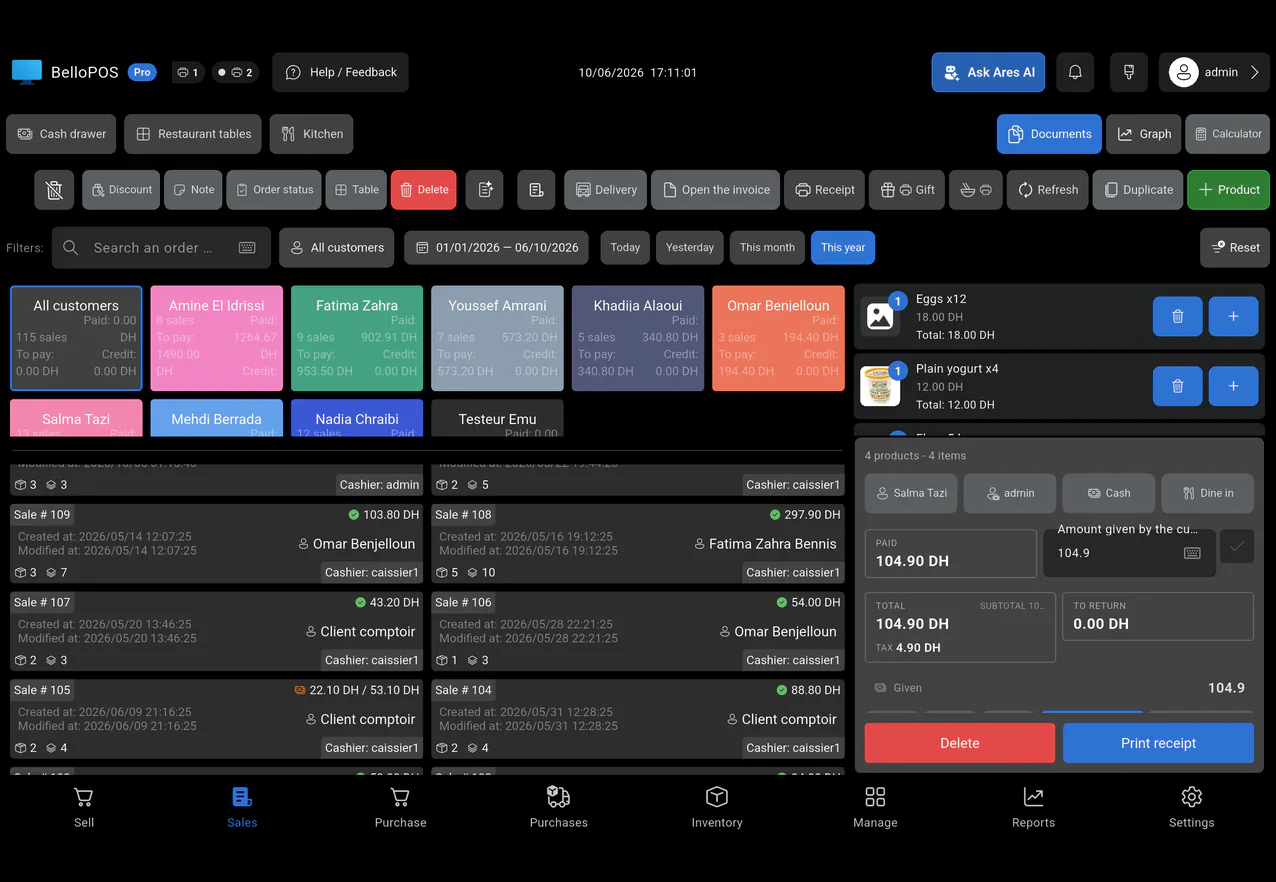
An optical store sells frames from stock and glasses that take days to make. BelloPOS keeps frames and accessories with their own barcodes and stock, and keeps every customer’s history in one place, so you find their last order in seconds.
Save each pair of glasses as an order with a note and follow its status until the customer collects it. Customers can leave a deposit and pay the rest later on their account, and Go makes numbered invoices for insurers and companies.
What you get
Frames in stock
Every frame and accessory has its own barcode and stock count.
Orders followed
Order notes and status follow each pair of glasses from order to collection.
Deposits and balances
Customers pay a deposit and settle the rest later on their account (Go).
Invoices
Numbered PDF invoices with your shop details, ready for insurers and companies (Go).
See it in the app
Real screens from BelloPOS on Windows.
How a sale goes
- 1Find or add the customer.
- 2Add the frame and lenses to the sale.
- 3Take a deposit; the balance stays on their account.
- 4Save the order with a note and update its status.
- 5When they collect, settle the balance and print the invoice.
How Canadians pay, and how BelloPOS records it
Keep the payment terminal you already have from your bank or processor. BelloPOS records every method next to the sale, so your end-of-day totals match what landed in the bank.
- Interac debit, inserted or tapped
- Tap to pay with a card, phone or watch (Apple Pay, Google Pay)
- Visa, Mastercard and American Express credit cards
- Cash, with change worked out at the till
- Interac e-Transfer for deposits and invoiced orders
- Split payments, for example part cash and part debit
- Customer credit and house accounts for regulars and trade buyers
BelloPOS does not process card payments itself and is not connected to Moneris, Square or any other processor. You take the card on your own terminal and select the method in BelloPOS.
Questions merchants ask
Can I take a deposit and the rest later?
Yes. With Go, the unpaid part stays on the customer’s account until they settle it.
Can I follow glasses being made?
Yes. Save the sale as an order with a note and update its status until collection.
Does BelloPOS store prescriptions?
BelloPOS is a point of sale, not a medical record. You can add a short note to an order, but keep prescriptions in the tools your profession requires.
Can I make invoices?
Yes. Go makes numbered PDF invoices with your shop details and tax numbers.
Other trades
All BelloPOS featuresRestaurants
Tables, the kitchen pass and fast service.
Cafes & coffee shops
Quick orders, the counter and the terrace.
Supermarkets & grocery
Barcodes, stock and busy checkouts.
Bakeries & pastry
Weigh, sell and keep up with fresh batches.
Fashion & apparel
Sizes, variants and seasonal collections.
Beauty & cosmetics
Brands, testers and loyal customers.
Bars & lounges
Rounds, tabs and a busy counter.
Convenience & general retail
Snacks, drinks and everyday goods.
Butcher shops
Sold by weight, cut by cut.
Parapharmacies
Dermo-cosmetics, baby care and supplements.
Stationery & school supplies
Back-to-school rush, item by item.
Electronics & phones
Phones, accessories and high-value tickets.
Home appliances
High-value sales, deposits and deliveries.
Furniture stores
Showroom sales, deposits and orders.
Auto parts
Thousands of references, found in seconds.
Hardware stores
Thousands of small items, trade prices and accounts.
Phone shops
Phones, accessories, repairs and customer history.
Shoe stores
Every size and colour with its own stock.
Toy stores
Fast checkout for the holiday rush.
Pet shops
Food by the bag or by weight, loyal regulars.
Jewelry stores
Every piece counted, instalments, full control.
Sports stores
Sizes, club prices and accounts.
Fast food
Fast counter orders, kitchen screen, delivery.
Pizzerias
Eat in, takeaway and delivery, with kitchen notes.
Phone & computer repair
Repair tickets, IMEI, quotes, parts and warranty.
Appliance repair
In the workshop or at home, with visits on a calendar.
Garages
Job cards with plate, mileage, parts and mechanics.
Car washes
Bookings or walk-ins, plates and vehicle sizes.
Laundries & dry cleaners
Tags, pieces, stains and pickup.
Hair & beauty salons
Appointments per stylist, allergies and products used.
Plumbers & electricians
Requests, visits, technicians and invoices.
Cleaning companies
Jobs by area and rooms, teams on a calendar.
Tailors
Alterations, measurements and fittings.
Pet grooming
Bookings, the pet’s card and boarding.
POS software for opticians
Get started today and bring all your commerce into one platform.