BelloPOS for your trade
Free supermarket and grocery POS
Scan, total, print. A checkout built for a queue, and a free inventory desktop app behind it.
Free download for Windows · checking the latest release… · works offline
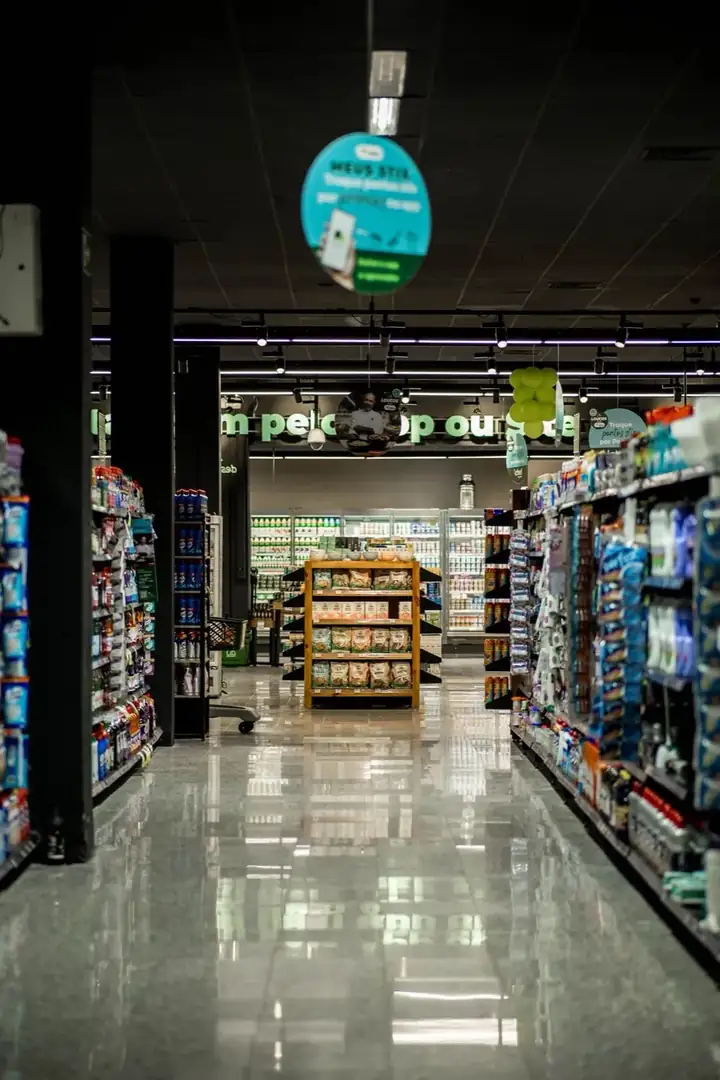
A grocery checkout is measured in items per minute, and every one of them starts with a barcode. BelloPOS works with any USB or Bluetooth barcode scanner straight out of the box: scan, and the product, price and tax land in the basket. Products without a barcode get one you print yourself, on labels from the app.
Behind the till it is a full inventory desktop app (stock levels, categories, suppliers and purchase orders), installed on your own PC in Morocco, where the data stays. The free lifetime licence covers checkout, receipts, barcodes and stock, so a small shop can run the whole thing without paying anything.
What you get
Barcode scanner support
Any USB or Bluetooth scanner works with no driver hunt. Scan to sell and scan again to receive a delivery, so stock and shelf agree.
Print your own barcode labels
Loose goods, repacked items and anything that arrived unlabelled get a barcode you generate and print from the app, in the label size you use.
Stock you can trust
Every sale and every purchase moves the count. See what is low before the shelf is empty, and check margins against what you actually paid your supplier.
Fast, offline checkout
Multiple tax rates, several payment methods and a customer screen, all running on the shop's PC, so the queue never waits on a connection.
See it in the app
Real screens from BelloPOS on Windows.
Your demo catalogue, ready at setup
Choose this activity when you install BelloPOS and these categories and products are created for you, in your language and currency. Rename, reprice or delete them whenever you like.
- 1Install BelloPOS and choose your language and country.
- 2Pick "Try with demo data", then your activity.
- 3Start selling on a catalogue that already looks like your shop.
Supermarkets & grocery
5 categories · 24 products
Groceries
- Rice 1 kg$1.80
- Spaghetti pasta 500 g$0.90
- Sunflower oil 1 L$2.20
- Sugar cubes 1 kg$1.20
- Green tea 250 g$2.50
- Flour 5 kg$4.50
Fresh products
- Whole milk 1 L$0.75
- Plain yogurt x4$1.20
- Butter 250 g$2.40
- Cheese portions x16$2.80
- Eggs x12$1.80
Fruit and vegetables
- Tomatoes 1 kg$0.80
- Potatoes 1 kg$0.60
- Bananas 1 kg$1.50
- Oranges 1 kg$0.70
Drinks
- Mineral water 1.5 L$0.60
- Cola soda 1 L$1.00
- Orange juice 1 L$1.60
- Ground coffee 250 g$3.20
Hygiene and cleaning
- Liquid detergent 3 L$6.50
- Dish soap 1 L$1.50
- Toilet paper x8$3.00
- Shampoo 400 ml$3.50
- Toothpaste 75 ml$1.40
Example prices in US dollars; the app converts them to your currency.
Download nowHow a sale goes
- 1Scan items into the basket; price and tax come from the product record.
- 2Attach a loyalty customer if there is one.
- 3Take cash, card or a split payment, and print the ticket.
- 4Receive deliveries by scanning them in against a purchase order.
- 5Review stock, margins and the day's totals from the same PC.
A POS system for dukas, mini supermarkets and supermarkets
A neighbourhood duka lives on small, fast sales: bread, milk, a packet of sembe, cooking oil, a soda, vocha for the phone. Margins are thin and every missing item hurts. BelloPOS scans barcodes with any USB or Bluetooth scanner, prints labels for goods you repack such as sugar, rice and beans, and takes each item off stock as it sells. Low-stock alerts tell you what to reorder before the shelf is empty. Everything runs on the PC in your shop, so a weak network or finished bundles do not stop the queue.
From a duka in Mbagala or Tandika to a mini supermarket in Dodoma or a supermarket in Mbeya, the work is the same. Go adds credit accounts for neighbours who pay at month-end, with limits so no one runs up too much, and wholesale price groups for small shops and guest houses that buy by the carton. Purchase orders help you check what arrives from Kariakoo wholesalers or distributors against what you ordered. Fiscal receipts still come from your EFD or VFD, and a daily cash count with sales reports by day, product and cashier makes balancing the day quick.
How Tanzania pays, and how you record it
BelloPOS does not process payments and is not connected to any mobile money network, bank or card machine. The customer pays the way they always do, and you pick the payment method on the sale, so every sale shows how it was paid. You can add your own payment methods to match how your shop gets paid.
- Cash in shillings, with change shown on screen and a cash drawer
- M-Pesa (Vodacom) to your Lipa number, added as its own payment method
- Tigo Pesa, Airtel Money and HaloPesa, each added as a payment method
- Bank app and mobile banking transfers, added as another method
- Visa and Mastercard on your bank's own card machine
- Any other method you take, added by you in a few clicks
- Credit for regular customers, settled at month-end (Go plan)
- Accounts settled later by bank transfer for schools, lodges and offices (Go plan)
Because BelloPOS does not read your mobile money statements, check the sales recorded under each wallet against the M-Pesa, Tigo Pesa or Airtel Money messages and statements at closing. A gap usually means a payment was recorded under the wrong method.
Supermarket and duka POS questions
Can I run a small duka on the free plan?
Yes. Lite covers selling, receipts, barcodes, barcode labels and stock on one till, for free and for good. Many shops start on an existing laptop with an inexpensive scanner. When you want credit accounts, wholesale prices, purchase orders or scheduled backups, move to Go. You keep all your products and sales when you upgrade.
Does BelloPOS replace the EFD machine in my supermarket?
No. BelloPOS is not an EFD or VFD and its receipts are not fiscal receipts. If your turnover makes you liable, the EFD or VFD from your approved supplier keeps issuing fiscal receipts. BelloPOS runs the checkout queue, stock, credit accounts and reports. Ask your accountant how to match the two totals at the end of each day.
How do I handle VAT on different products?
VAT and fiscal receipts are handled by your EFD or VFD and your accountant, not by BelloPOS. Which goods are exempt or zero-rated is set by the VAT Act and changes with Finance Acts, so confirm each item with your accountant. BelloPOS keeps your sales by product and the stock history, which makes your figures easier to check. It is not approved by TRA.
Can I sell by the carton and by the piece?
Yes. Set up the carton and the single piece as products, and receive deliveries in the unit you buy. Wholesale customers on Go get their own price group, so a small shop buying a carton pays the trade price while walk-in customers pay the shelf price. Low-stock alerts help you reorder before you run out.
Can I use more than one till on busy days?
Yes, with Pro. Extra tills connect to the main PC over your shop's own network and share products, stock and customers in real time, without needing the internet. Each cashier signs in with their own account, and the sales report shows totals per cashier, so each till is counted and balanced separately.
Other trades
All BelloPOS featuresRestaurants
Tables, the kitchen pass and fast service.
Cafes & coffee shops
Quick orders, the counter and the terrace.
Bakeries & pastry
Weigh, sell and keep up with fresh batches.
Fashion & apparel
Sizes, variants and seasonal collections.
Beauty & cosmetics
Brands, testers and loyal customers.
Bars & lounges
Rounds, tabs and a busy counter.
Convenience & general retail
Snacks, drinks and everyday goods.
Butcher shops
Sold by weight, cut by cut.
Parapharmacies
Dermo-cosmetics, baby care and supplements.
Stationery & school supplies
Back-to-school rush, item by item.
Electronics & phones
Phones, accessories and high-value tickets.
Home appliances
High-value sales, deposits and deliveries.
Furniture stores
Showroom sales, deposits and orders.
Auto parts
Thousands of references, found in seconds.
Hardware stores
Thousands of small items, trade prices and accounts.
Phone shops
Phones, accessories, repairs and customer history.
Shoe stores
Every size and colour with its own stock.
Toy stores
Fast checkout for the holiday rush.
Pet shops
Food by the bag or by weight, loyal regulars.
Opticians
Frames in stock, orders followed, deposits on account.
Jewelry stores
Every piece counted, instalments, full control.
Sports stores
Sizes, club prices and accounts.
Fast food
Fast counter orders, kitchen screen, delivery.
Pizzerias
Eat in, takeaway and delivery, with kitchen notes.
Phone & computer repair
Repair tickets, IMEI, quotes, parts and warranty.
Appliance repair
In the workshop or at home, with visits on a calendar.
Garages
Job cards with plate, mileage, parts and mechanics.
Car washes
Bookings or walk-ins, plates and vehicle sizes.
Laundries & dry cleaners
Tags, pieces, stains and pickup.
Hair & beauty salons
Appointments per stylist, allergies and products used.
Plumbers & electricians
Requests, visits, technicians and invoices.
Cleaning companies
Jobs by area and rooms, teams on a calendar.
Tailors
Alterations, measurements and fittings.
Pet grooming
Bookings, the pet’s card and boarding.
Free supermarket and grocery POS
Get started today and bring all your commerce into one platform.